
Best Face Swap AI Image Editors of 2025: Expert Comparison for Creators and Developers
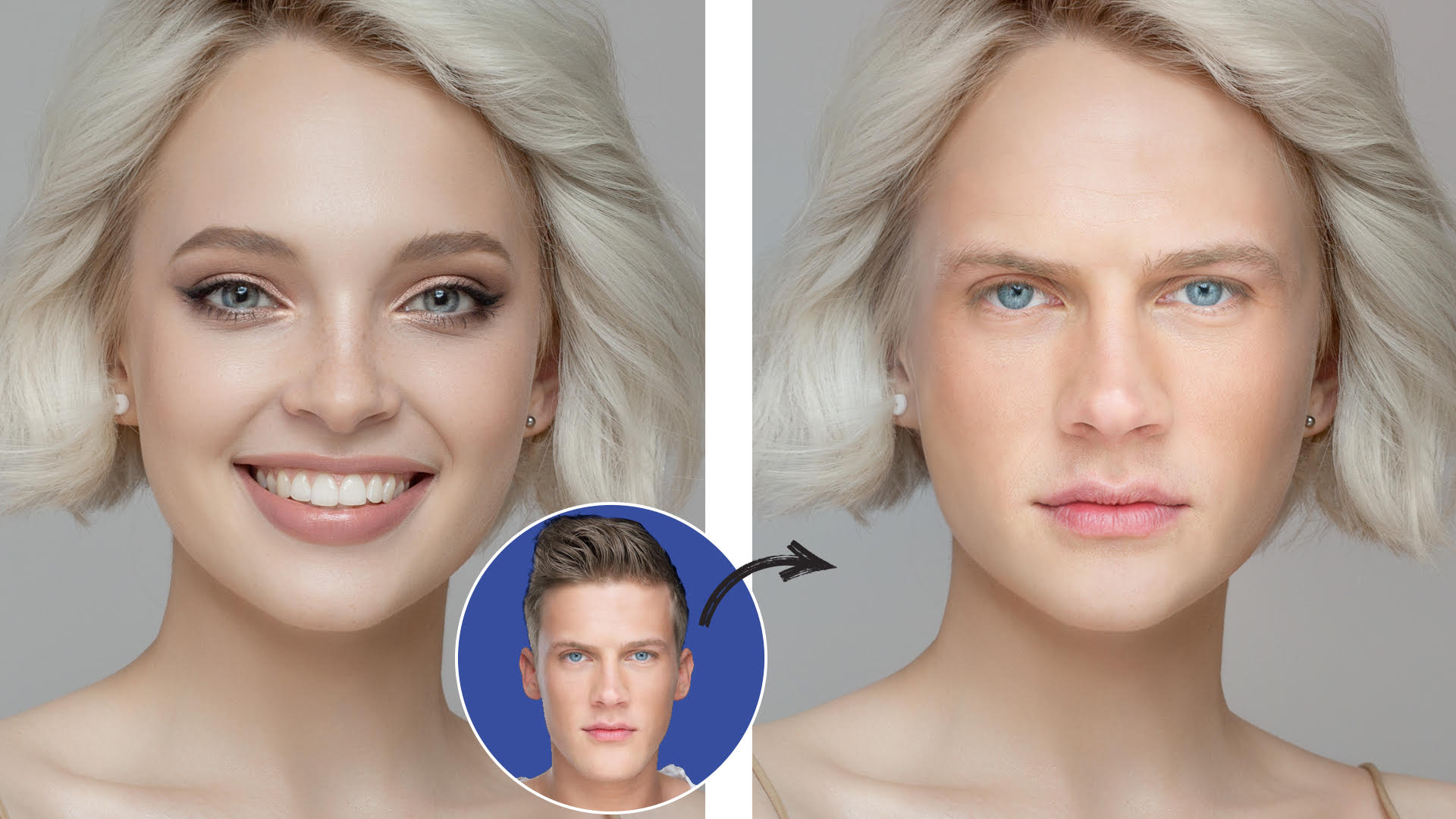
As of October 2025, face swap AI tools have become essential for modern creators, marketers, and developers. Whether you’re producing short-form content, digital art, or cinematic visuals, AI-powered image editors now make it possible to achieve studio-quality results in seconds.
After weeks of testing the leading platforms, I’ve shortlisted the 10 best Face Swap or AI Image Editor of 2025 based on realism, usability, privacy, and value for creators.
If you’re wondering which one truly deserves your time, this guide gives you everything you need to make a smart decision.
Best Face Swap AI Image Editors at a Glance
| Tool | Best For | Modalities | Platforms | Free Plan | Starting Price |
| Magic Hour | Professional creators, marketers | Images, Videos | Web, Mobile | Yes | Free / $19 per month |
| Reface | Social media & meme creators | GIFs, Videos | iOS, Android | Yes | $6.99/month |
| FaceMagic | Quick mobile edits | Images, Videos | iOS, Android | Yes | $5/month |
| DeepSwap | High-quality, realistic swaps | Images, Videos | Web | No | $9.99/month |
| Artbreeder | Artists & designers | Image morphing | Web | Yes | Free / $8.99/month |
| FaceApp | Photo transformations | Photos only | iOS, Android | Yes | $4.99/month |
| Faceswap Web | Developers & learners | Images, Videos | Web, Open Source | Free | Free |
| Lensa AI | Artistic editing | Images | iOS, Android | Yes | $7.99/month |
| Swapface | Streamers & live users | Real-time video | Desktop | No | $15/month |
| DeepFaceLab | Professionals & researchers | Images, Videos | Desktop | Free | Free |
1. Magic Hour The #1 AI Face Swap Image Editor of 2025
If there’s one tool redefining what’s possible in AI visual editing, it’s Magic Hour, an advanced, browser-based platform that delivers hyper-realistic face swaps and next-gen image manipulation.
I’ve tested most of the major AI editors, and Magic Hour consistently produces the most natural, cinematic-quality swaps I’ve seen both in still images and videos.
Pros
- Ultra-realistic face swap AI that maintains lighting, emotion, and skin texture
- Works with both images and video content
- Simple, intuitive UI no complex tools required
- Supports AI image editor and image to video pipelines
- Strong data privacy policy (photos are deleted automatically)
- Fast cloud rendering
Cons
- Free version limits exports
- Internet connection required for full performance
If you’re serious about professional-grade AI visuals, Magic Hour is hard to beat. It’s a complete creative suite for creators, marketers, and production teams who need efficiency and reliability.
Pricing: Free plan available; premium starts at $19/month.
Try: Magic Hour Face Swap
2. Reface Best for Fun and Viral Content
Reface made AI face swapping mainstream powering countless viral memes and social videos. It’s fast, simple, and a favorite among casual creators.
Pros
- Extremely easy to use
- Works with GIFs, movie clips, and short videos
- Great for social media and entertainment
Cons
- Limited editing control
- Results can look cartoonish in some contexts
If your goal is engagement and fun rather than hyper-realism, Reface delivers instant entertainment.
Pricing: Free basic plan; premium from $6.99/month.
3. FaceMagic Fast Face Swaps on Mobile
FaceMagic focuses on simplicity and speed. Its cloud AI handles most processing, making it ideal for on-the-go creators who need quick, shareable results.
Pros
- Smooth performance on iOS and Android
- Multi-face swap support
- Trend-based templates for social content
Cons
- Limited customization options
- Requires internet for rendering
I often recommend FaceMagic to creators making quick reels or shorts. It’s efficient and consistent.
Pricing: Free plan available; premium from $5/month.
4. DeepSwap For High-Fidelity, Professional Results
When realism matters most, DeepSwap delivers outstanding results. It uses deep neural networks to blend faces seamlessly while maintaining fine details like lighting and contours.
Pros
- Photorealistic rendering
- Supports images, videos, and GIFs
- Fast processing times
Cons
- Watermark in free version
- Limited batch editing features
In my tests, DeepSwap came close to Magic Hour in realism especially for cinematic projects.
Pricing: From $9.99/month (premium removes watermark).
5. Artbreeder For Artists and Designers
Artbreeder isn’t a traditional face swapper; it’s more like an AI creativity lab. Using “genetic” sliders, you can morph, blend, or evolve human faces and artistic characters.
Pros
- Total creative control over blending
- Ideal for concept art and design
- Collaborative community features
Cons
- Steeper learning curve
- Not optimized for quick swaps
If you enjoy experimentation and digital art, Artbreeder remains a fascinating tool for idea generation.
Pricing: Free tier; Pro from $8.99/month.
6. FaceApp Reliable Classic with New Tricks
FaceApp has evolved beyond its viral “aging” filter. Today, it offers strong face-swapping and enhancement tools built into its clean mobile interface.
Pros
- Trusted and widely available
- Quick transformations
- Integrated beautification tools
Cons
- Limited creative depth
- Some filters feel dated
FaceApp remains a good all-rounder, quick, stable, and familiar.
Pricing: Free basic version; premium starts at $4.99/month.
7. Faceswap Web Open Source for Developers
If you prefer control and transparency, Faceswap Web is an open-source alternative built by a passionate community.
Pros
- 100% free
- Deep customization
- Great for AI learners
Cons
- Complex setup
- Slower than commercial tools
For developers interested in AI architecture and model customization, this is a valuable playground.
Pricing: Free (open source).
8. Lensa AI Artistic Face Editing
Lensa AI gained fame with its “Magic Avatars,” and now combines AI face swapping with creative, painterly effects.
Pros
- Beautiful artistic styles
- User-friendly interface
- Strong portrait enhancement features
Cons
- Limited realism for serious edits
- Occasional stylization artifacts
If you’re blending art and photography, Lensa’s creative filters make it stand out.
Pricing: From $7.99/month.
9. Swapface Real-Time AI for Streamers
Swapface offers a rare capability: real-time AI face swapping for live streams and video calls. It’s designed for creators who love performance and audience interaction.
Pros
- Real-time processing
- Integrates with OBS and popular streaming tools
- Low latency
Cons
- Requires a strong GPU
- Limited customization
For Twitch and YouTube streamers, it’s a fun way to create dynamic, character-based content.
Pricing: Starts at $15/month.
10. DeepFaceLab Advanced Control for Professionals
DeepFaceLab is an open-source toolkit for machine learning experts who want total control over the process.
Pros
- Fully customizable
- High realism potential
- Excellent documentation and community
Cons
- Requires technical skill
- Time-intensive setup
If you’re a developer or filmmaker experimenting with neural rendering, DeepFaceLab gives you unmatched flexibility.
Pricing: Free.
How I Tested and Chose These Tools
I spent two weeks testing over 20 AI face swap platforms on both desktop and mobile. My evaluation criteria included:
- Realism: How natural the swap looked under different lighting and angles
- Ease of use: Interface clarity and onboarding time
- Speed: Rendering and export times
- Privacy: Data handling and deletion policies
- Value: Pricing fairness and feature-to-cost ratio
Each tool was benchmarked with identical test images and short clips for consistency.
Trends in AI Face Swapping (2025)
The 2025 AI landscape has shifted toward multi-modal creativity integrating photo, video, and animation into a single workflow.
Tools like Magic Hour now combine ai image editor with prompt free capabilities, lip sync ai modules, and image to video ai generation letting creators move from still images to video content seamlessly.
Another major trend is privacy and ethical AI. Modern tools increasingly prioritize secure, temporary storage and user consent before model training or cloud uploads.
Final Takeaway
AI face swap editors have grown from novelty apps into professional creative tools. If you want to create studio-quality visuals with minimal effort, Magic Hour remains the best all-around option combining realism, privacy, and accessibility. For fun social edits, try Reface or FaceMagic. For advanced experimentation, DeepFaceLab and Faceswap Web are unmatched.
No matter your level, at least one of these tools will meet your creative needs.
FAQs
1. What is a Face Swap AI Image Editor?
It’s a tool that uses artificial intelligence to replace or blend faces in photos or videos automatically while preserving realism in lighting and expression.
2. Which is the best AI Face Swap tool in 2025?
Based on my testing, Magic Hour is the best overall, offering professional-quality results, data safety, and flexible pricing.
3. Are AI face swap tools safe to use?
Yes as long as you use trusted platforms like Magic Hour or DeepSwap, which automatically delete uploaded images after processing.
4. Can I use these tools for videos?
Absolutely. Magic Hour, FaceMagic, and DeepSwap support both image and video modes.
5. Are there free face swap AI tools?
Yes, several including Faceswap Web, FaceApp, and the free tier of Magic Hour.
